
Captivated Integrations
Connect Your Tools to Better Connect With Customers
BUILD YOUR INTEGRATION

HubSpot

Chrome

Google My Business

Microsoft Outlook

Google Calendar

Stripe

Square

Search Console

Analytics

Captivated for iPhone

Your Website

Facebook Meta

Workwave (Real Green)

Jotform

Zapier
Web-Based CRMs

Zoom

Shopify
Common Integrations Questions
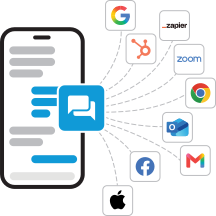
Integrations allow you to use Captivated in cohesion with other tools and services in your tech stack. Leveraging integrations with Captivated allows you to sync contacts, calendars, campaigns or other strategic efforts, and conversations. The result? You and your team work and connect seamlessly, efficiently, and effectively.
The below list is not exhaustive – we are always adding new integrations and capabilities. Additionally, for more enhanced customizations or processes, you can contact our Support team via your Captivated app to request a custom Workflow consultation.
Captivated integrates with a range of business tools to help teams manage customer communication in one place. Available integrations include HubSpot, Zapier, Google Calendar, Microsoft Outlook, Stripe, Square, Google Analytics, Google Search Console, Jotform, Shopify, Zoom, and select industry-specific platforms. Captivated also supports website chat and integrations with web-based CRMs. Explore the integrations above to see how Captivated can work with your existing technology.
Yes. Captivated can work alongside supported customer relationship management (CRM) systems to help teams manage customer conversations without disrupting their existing workflows. For example, the HubSpot integration supports contact synchronization, updated records, conversation tracking, and coordination with existing stages and campaigns. Captivated also supports web-based CRM workflows. Contact our team to confirm compatibility with your specific CRM and discuss your integration needs.
Yes. Captivated helps businesses bring customer texting into their existing technology and communication workflows. Depending on the integration, teams can manage customer conversations, synchronize contact information, coordinate follow-ups, and connect texting with other business processes. Captivated's integrations and API capabilities help businesses build a more connected customer communication experience while continuing to use their existing tools.
Captivated integrates with Zapier to help connect customer communication with other business applications and workflows. Businesses can use supported connections to coordinate communication cadences, streamline processes, and reduce repetitive manual work. The workflows available depend on the applications, triggers, actions, and configuration involved. Contact Captivated Support to discuss your desired workflow and determine the best way to implement it.
Yes. Captivated's website chat widget helps businesses capture website inquiries and manage those conversations within the Captivated platform. Captivated also supports integrations with tools such as Jotform and Shopify, helping businesses connect existing digital experiences with customer communication. The options available depend on the tools you use and the workflow you want to create. Contact our team to discuss your website, lead capture, and follow-up needs.
Captivated offers integrations with select calendar, meeting, and payment tools, including Google Calendar, Microsoft Outlook, Zoom, Stripe, and Square. These connections can help businesses coordinate customer communication with existing scheduling and payment processes. The capabilities vary by integration, so not every tool supports the same functions. Review the individual integrations above or contact Captivated to confirm whether your specific scheduling, booking, or payment workflow is supported.
Yes. Captivated offers an API for businesses that need to connect customer communication with additional software, systems, or custom workflows. API access is available on Pro plans, and Captivated's API Connector can extend the platform's capabilities beyond the integrations listed on this page. Existing customers can contact Support to discuss integration resources and custom workflow requirements. If you are evaluating Captivated for a new application or business system, contact our team to discuss your technical requirements and plan eligibility.
