
Stop Managing on a Hunch.
Dashboard Reporting
You have a gut feeling on how well your business is leveraging its business texting. Captivated turns that feeling into numbers: by channel, by person, by reply time, transfers by queue, workflow bottlenecks, payments, and review requests.
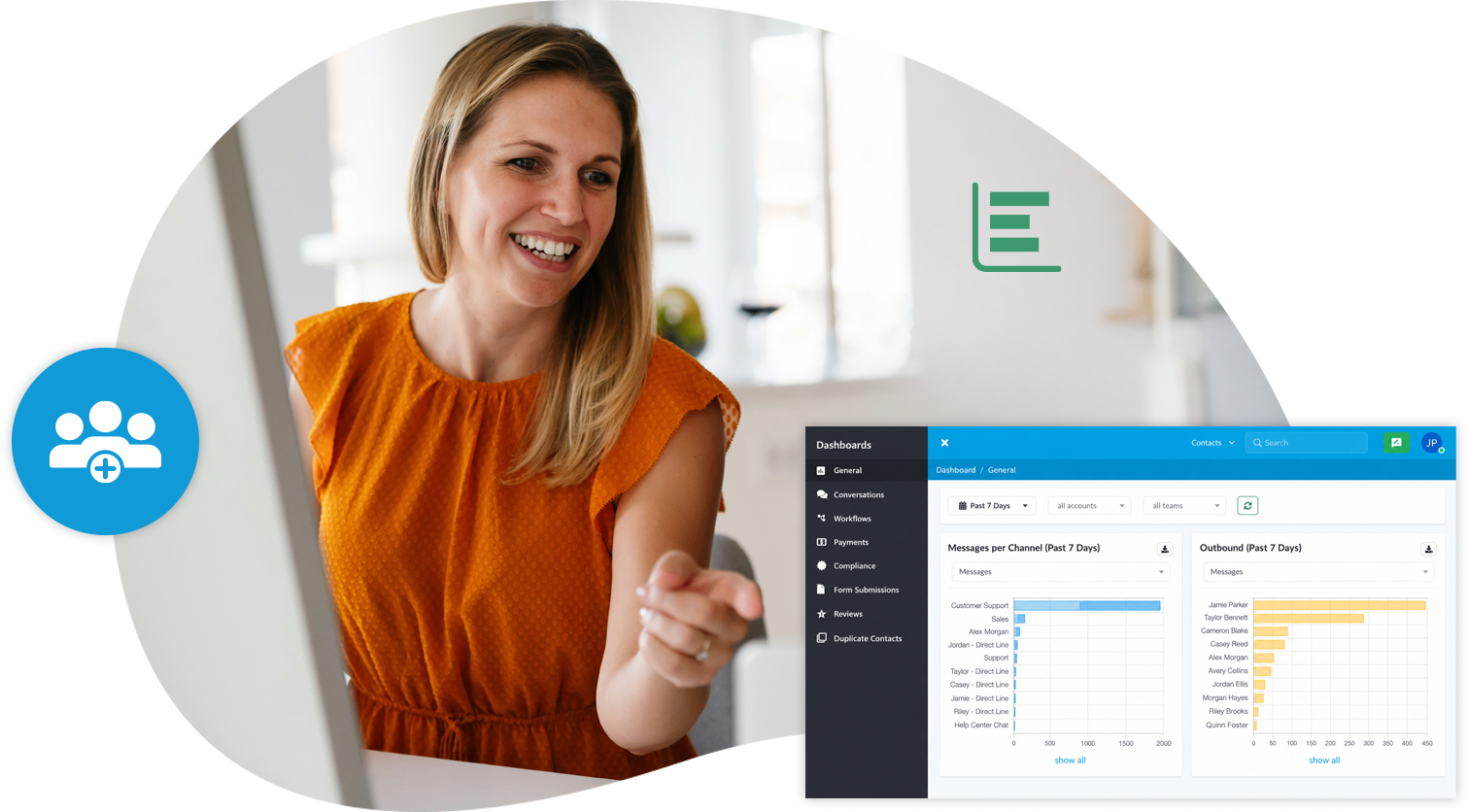
You Can't Improve What You Can't See.
Most businesses can tell you exactly what they sold, spent, and delivered. Ask what happened across the last 5,000 customer conversations, and the answer is usually a guess.
The Slow Drift from Quality
Your 15-minute response time becomes 40 over a few months, and nobody noticed. Then you and the rest of the world find out from a Google Review that says you're hard to reach.
Coaching from Anecdotes
Without data, feedback comes down to "I feel like you've been slower lately." That conversation goes badly for everyone, and your culture suffers as much as your customer experience.
The Person Carrying Everything
In many teams, one or two employees quietly handle a disproportionate share of the queue. If nobody measures it, they don't get recognized. And eventually, they disengage.
Visibility That Improves Your Business.
Managers get multiple dashboards, each filtered by date range, account, and team. Each exports to CSV, so the power of your data can be used across your business.
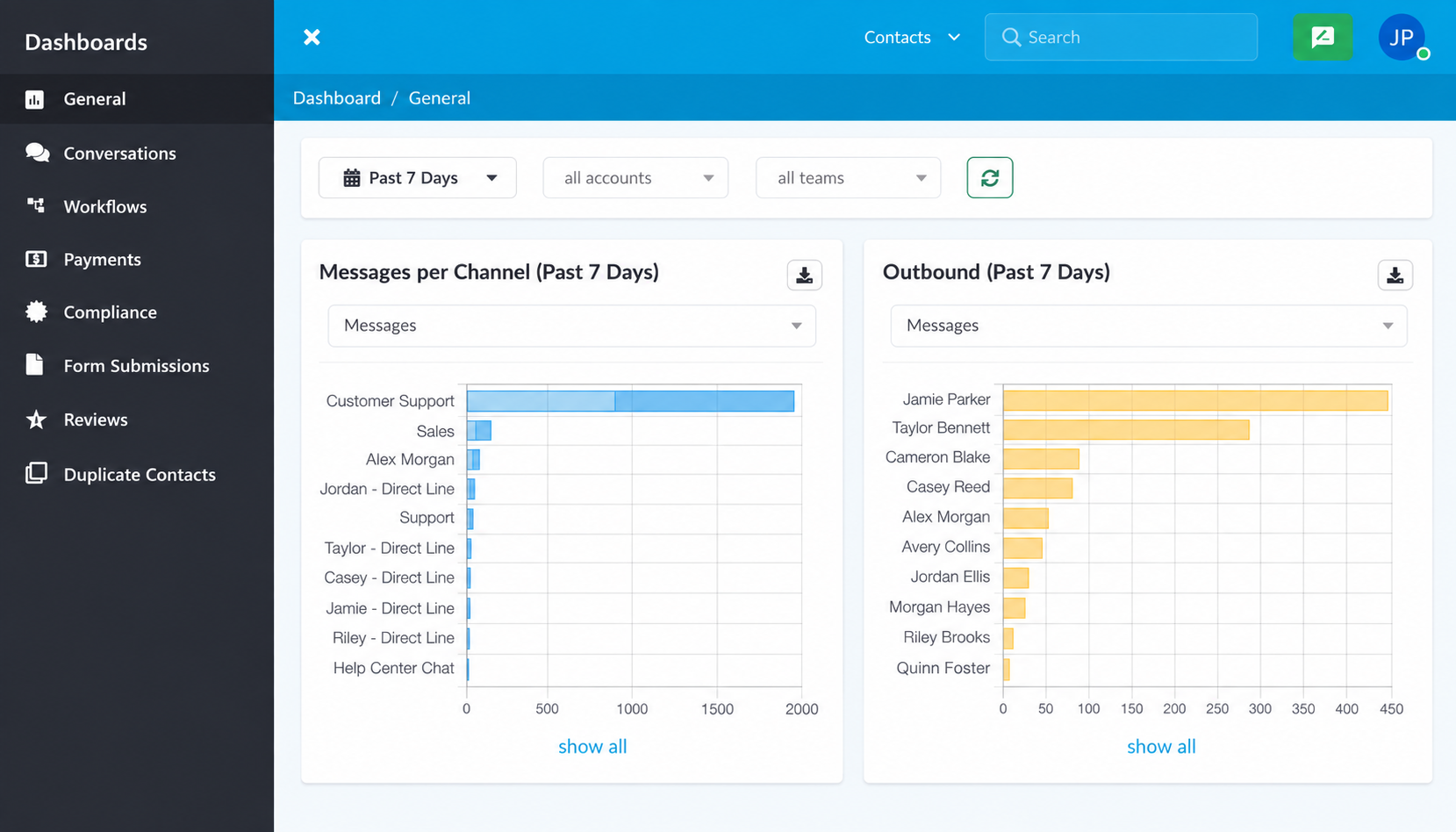
Volume & Activity Dashboard
- Messages and segments per channel, split inbound and outbound.
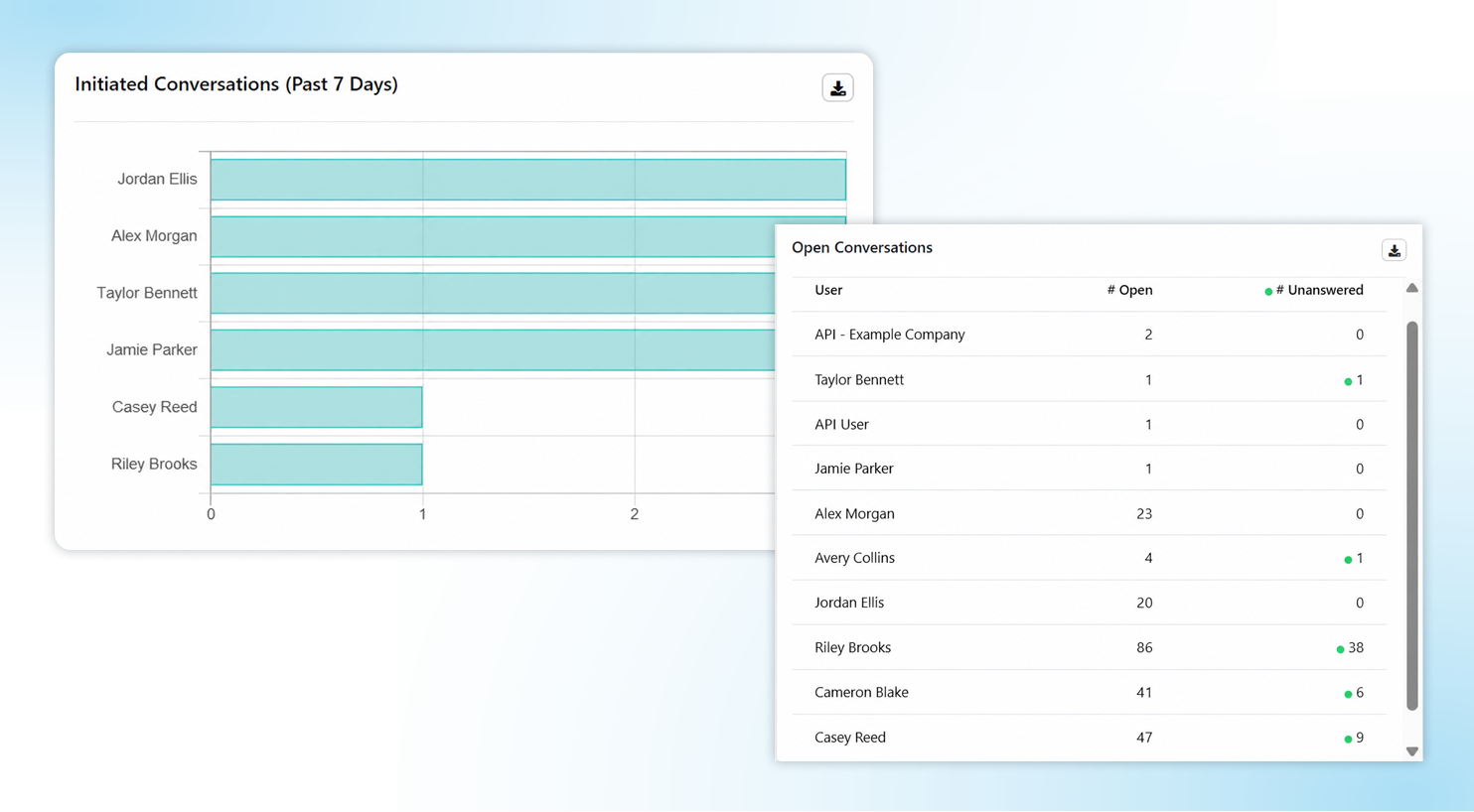
- Outbound messages, currently queued conversations, initiated conversations, and open conversations.
- Google review requests, if your team has that feature.
Conversations Dashboard
- Conversations by queue and conversations completed by user.
- Transfers by queue and transfers by user.
- Reply time and transfer time per user, average time to take a conversation, and average conversation duration.
Workflows Dashboard
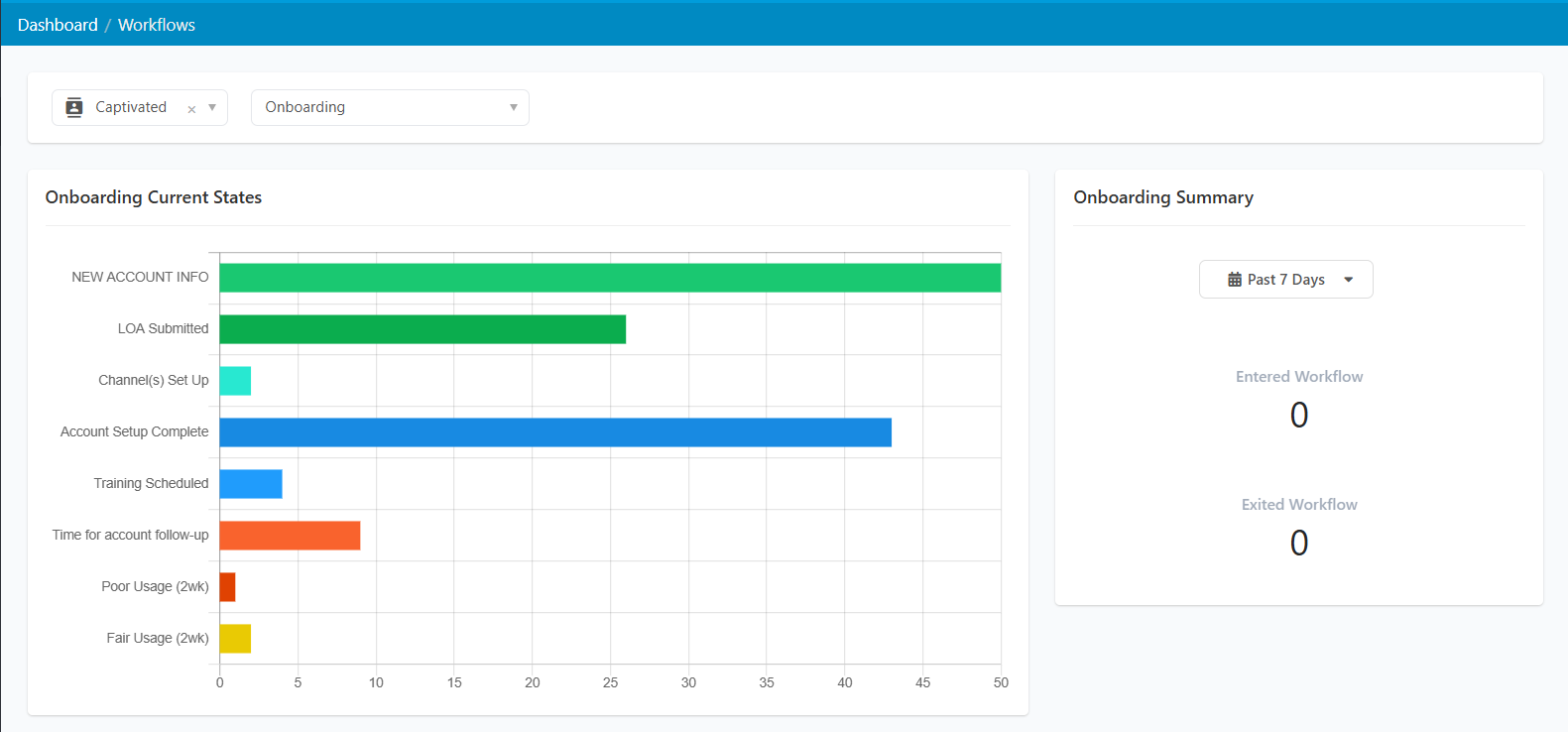
- Current States shows a live count of contacts in each state of your workflow.
- The Summary view shows who entered and exited over your chosen range, and which state they were in when they left.
- Dive further into any state for exact numbers. Congestion in your process becomes visible instead of theoretical.
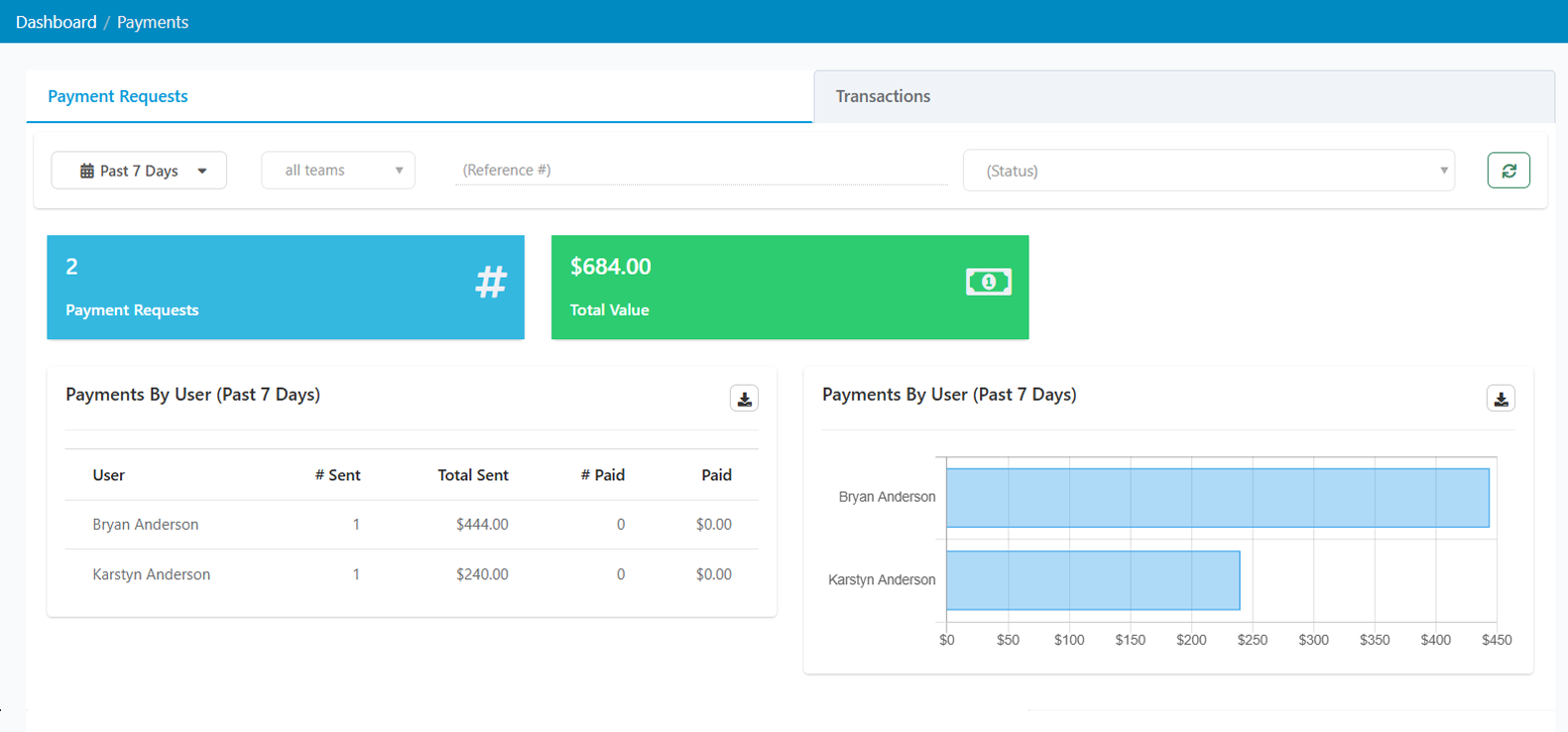
Payments Dashboard
- Every payment request filtered by paid, unpaid, canceled, or failed across any date range.
- Search by reference number, jump to the originating conversation, issue refunds, export to CSV.
- A Transactions tab for viewing and filtering by type, with a resync if something looks missing.
The Visibility You Need to Manage Well.
Our version of reporting is simple: help you find out who is carrying the queue, find out where customers are waiting, and fix both. Managers who leverage these dashboards have what they need to lead higher producing teams.
1200+
businesses served across a decade of business texting.
98%
of our customers would recommend Captivated to industry peers.
5 Star
Google reviews and SOC 2, HIPAA and CCPA credentials.
90%
report reduced admin effort and improved efficiency.
Live
U.S.-based support from real people.
Dashboards with Captivated include:
The ability to measure key stats like messages per user, messages per channel, and average response time per department. Account administrators can also review usage, including messages, voice minutes, users, text lines, balance, and invoices.

One Touch Automation
"Captivated has changed the way we are able to communicate with our clients. We now text from our business phone number, and I can monitor all text communications, ensuring excellent customer service. Our clients have one number for voice and text and no longer have different cell phone numbers from various employees. I highly recommend Captivated."
– Owner
3 Steps to Real Visibility Into Your Business Texting
See your real price.
Build your own quote online — real plans, real rates, real totals. No sales call required. Prefer the tour? Book a demo.
We set your teams and permissions.
Once you're using Captivated, your managers and administrators get dashboard access. Our launch team configures your teams so the filters are meaningful from day one.
Pick one number and watch it for a month.
At times, teams that try to watch everything end up watching nothing. Monitoring average reply time is a great first step.
What Changes When You Actually See the Data
Response Time Visibility
Without This Service:
Unknown, until a customer complains
With Captivated:
Reply time by user and by queue, over any date range
Practical Impact:
Drift gets caught in weeks instead of quarters
Workload Distribution
Without This Service:
Assumed, based on who seems busy
With Captivated:
Conversations completed and transfers, per person
Practical Impact:
The person carrying the queue gets recognized
Process Bottlenecks
Without This Service:
Invisible until customers start calling to ask
With Captivated:
Live count of contacts in every workflow state
Practical Impact:
Congestion is addressed before it becomes complaints
Getting Data Out
Without This Service:
Manual counting, or no reporting at all
With Captivated:
CSV export on every report
Practical Impact:
Your numbers work in whatever you already use
The Bottom Line
Without it: you use instinct to manage prospect and customer communication, and the first hard evidence you get usually comes way too late in the game.
Frequently Asked Questions
Managers and administrators. Access follows the role permissions your administrator sets, and you can filter by account and team so managers see the groups they're responsible for.
Yes. Every report exports to CSV, so you can build your own views or feed the numbers into whatever reporting you already run.
The dashboard reflects activity, not roster. If someone had no activity during the selected range, they won't appear. Widen the date range using the selector in the top left.
Reply time and transfer time per user, average time to take a conversation from a queue, and average conversation duration, as well as conversations completed by user and transfers by queue and by user.
Yes, of course. Account Usage shows messages, voice minutes, users, text lines, current balance, and invoices. Note that a message over 160 characters counts as multiple segments, which is why the dashboard reports segments alongside messages.
Ready to Know? Instead of Guess?
Book a 30-minute demo and we'll walk through all four dashboards with real data on the screen.
