
The Power of Conversation Across Your Tech Stack.
API Connectors & Access
Get more value from the tools you already use. Connect the conversations in Captivated with your CRM, keep customer records in sync, and use our API to bring two-way conversations directly into your existing systems.

Why Have More Work, Less Accuracy & Fewer Results?
Every disconnected system creates work for your team. And that extra work eventually shows up in data issues and less output from the tools that were implemented to move business forward.
Two Systems, Two Stories
When your CRM and your conversations don't sync, you end up with two versions of every customer, no reliable way to know one is current, and a poor experience for everyone.
The Mistyped Number
Every "copy & paste" between systems is a chance to transpose numbers or mistype other information. Messages go to a stranger, or nowhere, and nobody finds out for days.
The Tab Nobody Opens
If texting a customer means leaving the CRM, searching for the contact, and managing a conversation, that rarely works. Not because your team is lazy, but because they're busy.
Integrated Conversations for the Way You Work.
Most teams start with our custom Chrome extension. But deeper integrations, including use of our API Connectors, are available to help you get the most conversation power from Captivated.
Start with the Chrome Extension
- Work your conversations in a panel beside HubSpot, Salesforce, SA5 (RealGreen/WorkWave) or any web-based platform.
- It finds phone numbers on whatever page you are on and tells you which are already contacts.
- Text any of them, or add a new one, without leaving the tab.
- The extensions is FREE at the Chrome Web Store. Two minutes to download. No developer needed.
HubSpot Bidirectional Sync
- Sync HubSpot contacts into Captivated so records stay current.
- Display HubSpot properties inside Captivated and use in templates.
- Track conversations against HubSpot stages, campaigns, and workflows.
- View conversations and send new messages straight from the contact record with the HubSpot Plugin.
Purpose-Built Connections
- Send automotive leads in ADF format from Captivated directly into your automotive CRM.
- Connect SA5 with your API key to send bulk texts from reports.
- Connect JotForm to send forms by text. Replies show in the thread.
- Install the website widget through a prebuilt Google Tag Manager template and capture events.
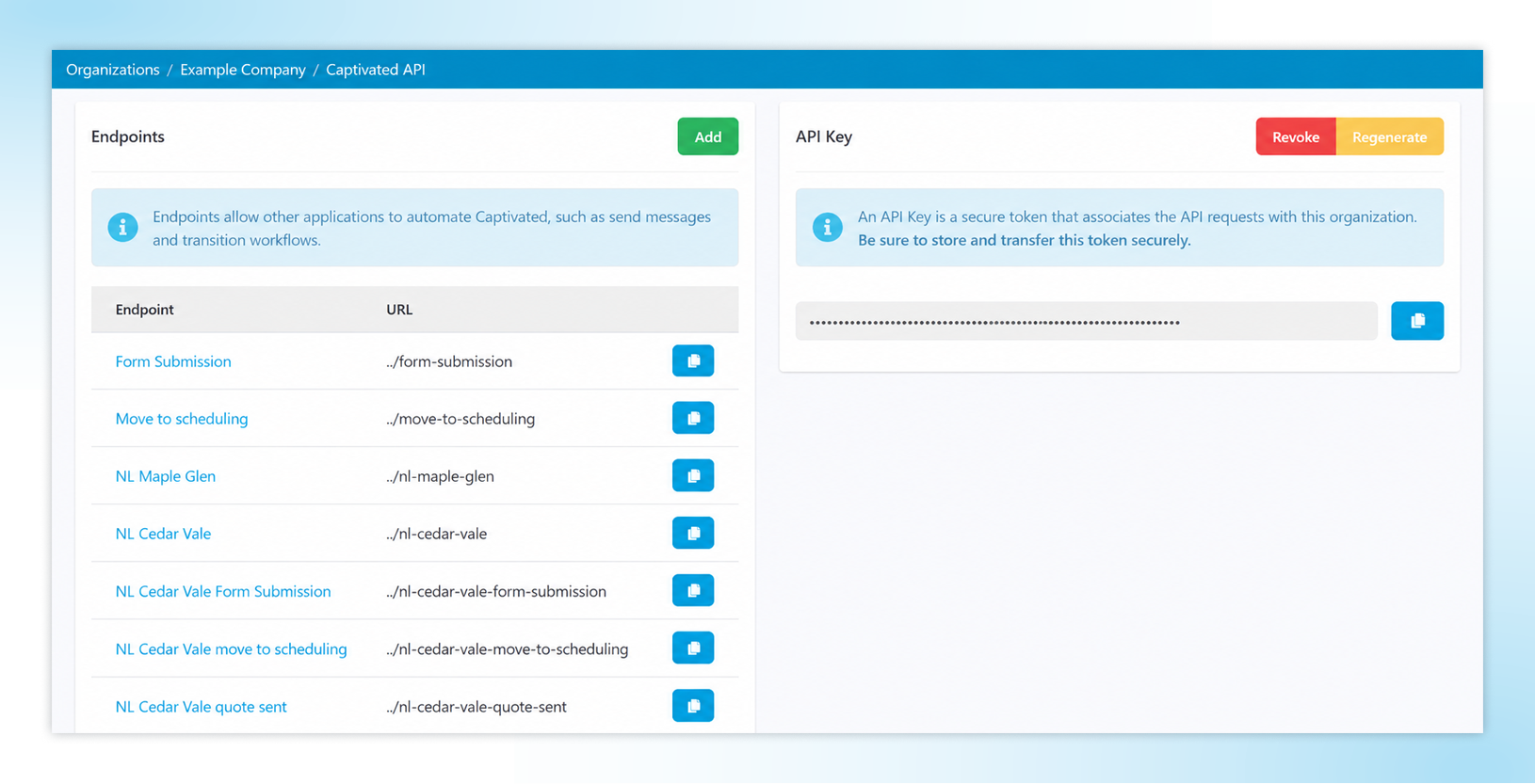
API Access for Everything Else
- Initiate two-way conversations from your own applications vs. limiting your team to one-way messages.
- Use webhooks from Captivated automation events to push activity into your systems in real-time.
- Our Professional Services team can build the connections you need to help streamline your business.
Connect Your Systems to Better Manage Your Conversations.
Your CRM and other tools already run your business. You shouldn’t have to change how you work just to add texting. We make it easier to connect Captivated to the systems you already rely on, so your team can work from the tools they know.
1200+
businesses served across a decade of business texting.
98%
of our customers would recommend Captivated to industry peers.
5 Star
Google reviews and SOC 2, HIPAA and CCPA credentials.
90%
report reduced admin effort and improved efficiency.
Live
U.S.-based support from real people.
See our full list of integrations.

“Their professional services team helped integrate Captivated with our Dispatch team. It has been a huge success. Our customers now have streamlined, textable access directly to our Dispatch team. The feedback from the customers has been positive."
3 Steps to Easier Appointment Booking.
Get your personalized pricing.
Build your quote online (no sales call required). Or book a demo. Either way, we look forward to serving you!
Install our Chrome Extension first.
Once you're using Captivated, it takes two minutes and no engineering. It's the simple, first step to the powerful integrations available to you.
Connect what you actually need.
HubSpot, your automotive CRM, JotForm, Google Tag Manager, or your own systems by API. We'll help you scope and build it.
Important Note: One site license. Unlimited users (no "per seat" billing nonsense, ever). Real humans in support, and a launch team that does the setup with you.
What Changes When Your Tools Are Connected
Steps to Text a Customer
Without This Service:
Leave your CRM, switch tabs, search, return to your CRM
With Captivated:
Message from a panel beside the record you already had open
Practical Impact:
Adoption holds past the first month
Data Entry Errors
Without This Service:
Numbers copied by hand between systems
With Captivated:
Contacts detected on the page and synced from your CRM
Practical Impact:
Fewer messages sent to the wrong number
Record Accuracy
Without This Service:
CRM and conversations drift apart
With Captivated:
HubSpot contacts synced, properties visible, conversations tracked
Practical Impact:
One version of every customer
System-Triggered Messaging
Without This Service:
Manual, or one-way notifications only
With Captivated:
API and webhooks starting genuine two-way conversations
Practical Impact:
Your systems can begin conversations your team can finish
The Bottom Line
Without it: texting becomes the tab that only two enthusiastic people open, and the rollout you fought for quietly stops mattering.
Frequently Asked Questions
The Chrome extension. Install it from the Chrome Web Store, sign in, and Captivated conversations appear in a panel beside whatever web-based platform you're using. It also detects phone numbers on any page and lets you message or add contacts without leaving it.
Send text messages from your own applications and start two-way conversations, so a customer can reply and your team picks it up in Captivated. Automation Events can also send webhooks to a URL you specify, which covers many cases without a full integration.
For the Chrome extension, HubSpot, JotForm, and the Google Tag Manager widget install, no. For the API, maybe. Many customers find great success without the API, but we'll help you assess if it's best for your business.
It syncs your HubSpot contacts into Captivated to keep records current, displays HubSpot properties inside Captivated for use in templates, and tracks conversations against HubSpot stages, campaigns, and workflows. The separate HubSpot Plugin lets your team send messages directly from the HubSpot contact record.
API Connectors are an add-on capability, available as a supplement for whatever plan best suits you business. Ask during your demo, and we'll tell you exactly what your setup would need.
Ready to Put Texting In the Systems You're Already Using?
Book a 30-minute demo and tell us about your tech stack. We'll touch on the shortest path to connecting it with conversation management.
Already a customer? Text Captivated Support at 317-316-3600.
